Your Google Ads account reports 240 conversions last month at a cost per acquisition of ninety dollars. Your sales team says they received maybe sixty leads worth calling, and closed four.
Both numbers are accurate. They are measuring different things, and the gap between them is where most B2B advertising budget goes to die.
In ecommerce, the conversion is the outcome. Someone buys, money moves, and the event you track is the event that matters. In B2B the trackable conversion is only the start of a process that plays out over months, mostly somewhere your website cannot see, which is why cost per lead can improve while revenue sits still.
In B2B, the conversion you can track is the beginning of a process that plays out over weeks or months, mostly in places your website cannot see. A form fill is a request for a conversation. It has some value, but the variance is enormous. One is a procurement lead at a company that will sign a six figure contract. Another is a student researching a paper. Both look identical to Google Ads.
When you optimize toward form fills, you are asking the bidding algorithm to maximize the count of an event whose value ranges from zero to substantial. It will do exactly that, and it will find the cheapest version, because cheap is what it can optimize for when you have not told it anything about quality.
The system is succeeding at the goal you set. The goal was wrong.
What should B2B conversion tracking actually measure?
The principle is simple: get the outcome as close to revenue as your data allows. Think of it as a ladder running from a raw form fill up to closed revenue, each rung more meaningful and less frequent than the one below. The right answer is the highest rung that still produces enough monthly volume to bid on.
At the bottom of that ladder is a raw form fill, easy to track and nearly meaningless. Above that is a marketing qualified lead, which filters out obvious noise. Above that is a sales accepted lead, meaning someone with quota agreed it was worth pursuing. Then an opportunity, then closed won revenue.
Every rung up improves signal quality and reduces volume. That trade off matters, because bidding algorithms need volume to learn. Google's rough guidance is around thirty conversions in thirty days for Target CPA.
So the practical answer is usually not "optimize toward closed deals". It is to find the rung with enough monthly volume, then feed that back. For many businesses that is a qualified lead rather than a closed deal, with closed deals imported as a secondary signal that informs value.
How do I set up lead quality segmentation in Google Ads?
The mechanism is offline conversion imports, and the concept is straightforward: you tell Google, after the fact, what actually happened to each lead. Define the tiers with sales rather than with marketing, keep it to three or four, and expect to wait a full sales cycle before the model has retrained.
Start by defining your tiers with sales. Not marketing's opinion of quality, the definition sales will actually apply in the CRM. Three or four tiers is plenty: qualified, opportunity created, closed won, and perhaps disqualified.
Create a separate conversion action in Google Ads for each tier you want to import. Give each a value that reflects its real worth. If a qualified lead closes twenty percent of the time at an average deal size of ten thousand dollars, its expected value is around two thousand dollars. That number is far more useful to bidding than a flat count.
Then decide which actions are primary. This is the setting that determines what bidding optimizes toward. Typically the qualified lead action is primary, and the raw form fill is demoted to secondary so it still reports without steering spend.
Give it time. Your sales cycle determines how long before enough qualified leads accumulate for the model to retrain. Expect at least one full cycle, often two.
The flow has four steps, and each one has a failure mode worth knowing: capture the click identifier when the visitor arrives, store it against the lead, update that record as the deal progresses, and send the result back on a schedule. Break any link and the chain reports nothing.
Capture the click identifier. When someone arrives from Google Ads with auto tagging enabled, the URL carries a GCLID parameter. Your form must capture it into a hidden field.
Store it with the lead. The GCLID has to be written to the lead record in your CRM as a custom field. If it is captured but not stored, the chain breaks here, which is the most common failure.
Update the record as the deal progresses. When sales marks a lead qualified, or an opportunity is created, or a deal closes, that status change is the event you will report.
Send it back. Either through a native integration, which HubSpot and Salesforce both offer, or by uploading a file containing the GCLID, the conversion name, the timestamp, and the value.
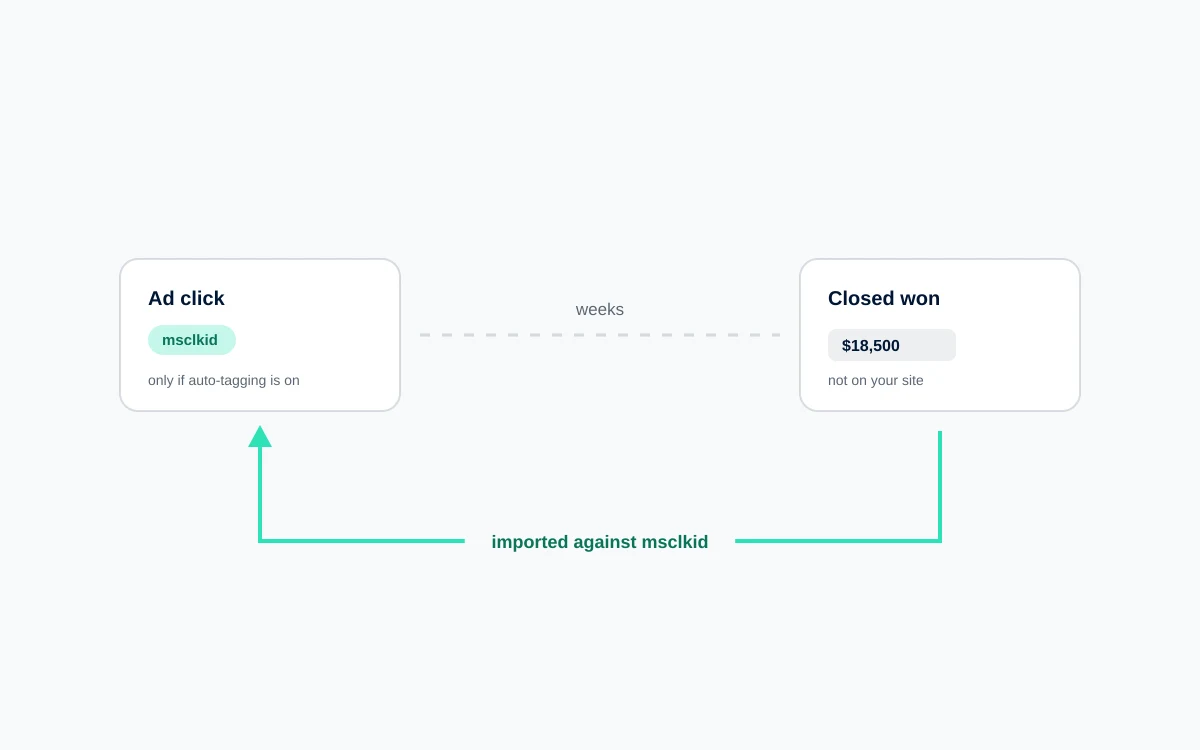
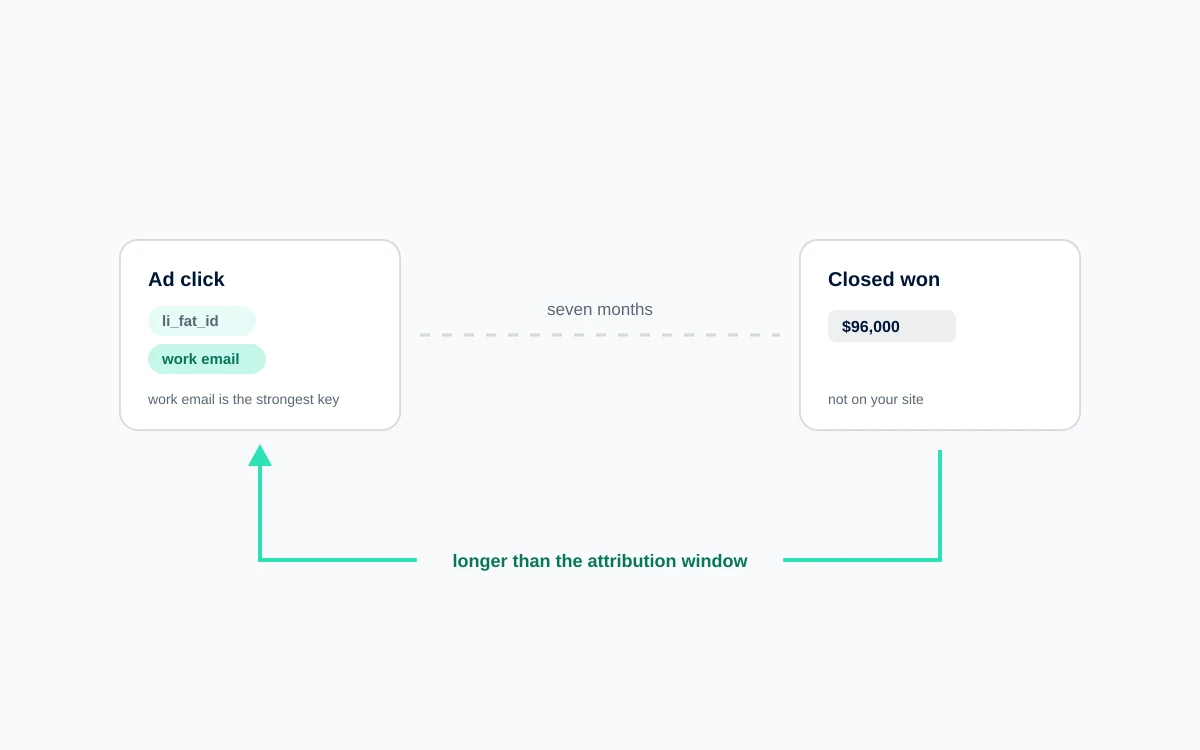
The critical constraint is the import window. Google accepts offline conversions up to ninety days after the click. If your sales cycle runs longer than that, closed won will fall outside the window and you will need to optimize toward an earlier milestone.
How do I use GCLID and UTM capture to track leads through the pipeline?
GCLID handles Google Ads. UTM parameters handle everything else, and you need both. Add hidden fields to every form, persist the values so visitors who browse before converting are not lost, settle the first touch versus last touch question deliberately, map the fields into your CRM, and then verify the whole chain end to end.
Add hidden fields to every form for GCLID and for the standard UTM parameters. Populate them with JavaScript reading from the URL.
Persist the values across the session. This is where most implementations fail. Someone clicks an ad, lands on a blog post, browses three pages, and submits a form. By then the URL no longer carries the parameters. Store them in a first party cookie or in session storage on first arrival, then read from there when the form submits.
Handle the first touch versus last touch decision explicitly. Decide whether a returning visitor's original source or their most recent one should be recorded, and apply it consistently. Storing both is better still.
Map the fields into your CRM so the values land on the contact and carry through to any deal created from it.
Verify the whole chain. Click one of your own ads, submit a test form, and confirm the GCLID appears on the record in your CRM. Do this after every form or site change, because these fields break silently and nothing alerts you.
What changes when you bid on quality instead of volume?
The numbers get worse and the business gets better, in that order. What follows is the mechanism behind that, and the reporting conversation worth having before you make the change rather than after.
Expect reported conversions to fall sharply. If you move from form fills to qualified leads, volume might drop by seventy percent. Cost per conversion rises correspondingly. On paper this looks like a serious decline.
What actually happens underneath is that bidding stops competing for the auctions that produce students and job seekers, and starts competing for the ones that produce buyers. Traffic composition shifts. Sales stops complaining about lead quality. Pipeline per dollar improves even as cost per lead worsens.
The reporting challenge is real. If your leadership tracks cost per lead as a headline metric, this transition will look like failure for a quarter. Have that conversation before you start, and change the metric you report to pipeline generated or cost per qualified lead.
Where to start
Capture GCLID on your forms and store it in your CRM. That single step is a prerequisite for everything else, it takes a developer a few hours, and it is worth doing before you have decided on any of the rest.
FAQ
How do I track B2B leads that actually close in Google Ads?
Capture the GCLID on your lead forms, store it in your CRM, then use offline conversion imports to report back when a lead is qualified or a deal closes. Create separate conversion actions for each stage with values reflecting real worth, and mark the qualified stage as primary so bidding optimizes toward it rather than raw form volume.
What is the GCLID and why does it matter for B2B?
The GCLID is a unique identifier Google appends to your landing page URL when someone clicks an ad, with auto tagging enabled. It links that specific click to everything that follows. Without capturing and storing it, there is no way to connect a deal that closes weeks later back to the campaign and keyword that generated it.
How long do I have to import offline conversions to Google Ads?
Google accepts offline conversion imports up to ninety days after the original click. If your sales cycle regularly exceeds that, closed won deals will fall outside the window. In that case, optimize toward an earlier milestone such as a qualified lead or opportunity created, and use closed won data separately to inform the values you assign.
Should I optimize Google Ads for MQLs or closed deals?
Choose the latest stage that still produces enough monthly volume for bidding to learn from, roughly thirty conversions in thirty days. For most B2B accounts that is a qualified lead rather than closed won, because closed deals are too sparse and often fall outside the ninety day import window. Import closed deals as a secondary signal to inform value.
Why does my cost per lead go up when I optimize for lead quality?
Because you narrowed the definition of a conversion. Bidding stops chasing cheap, low intent form fills and starts competing for auctions that produce serious buyers, which are more expensive to win. Cost per lead rises while pipeline per dollar improves. Change your headline reporting metric to cost per qualified lead or pipeline generated before making the switch.

 Paid Media